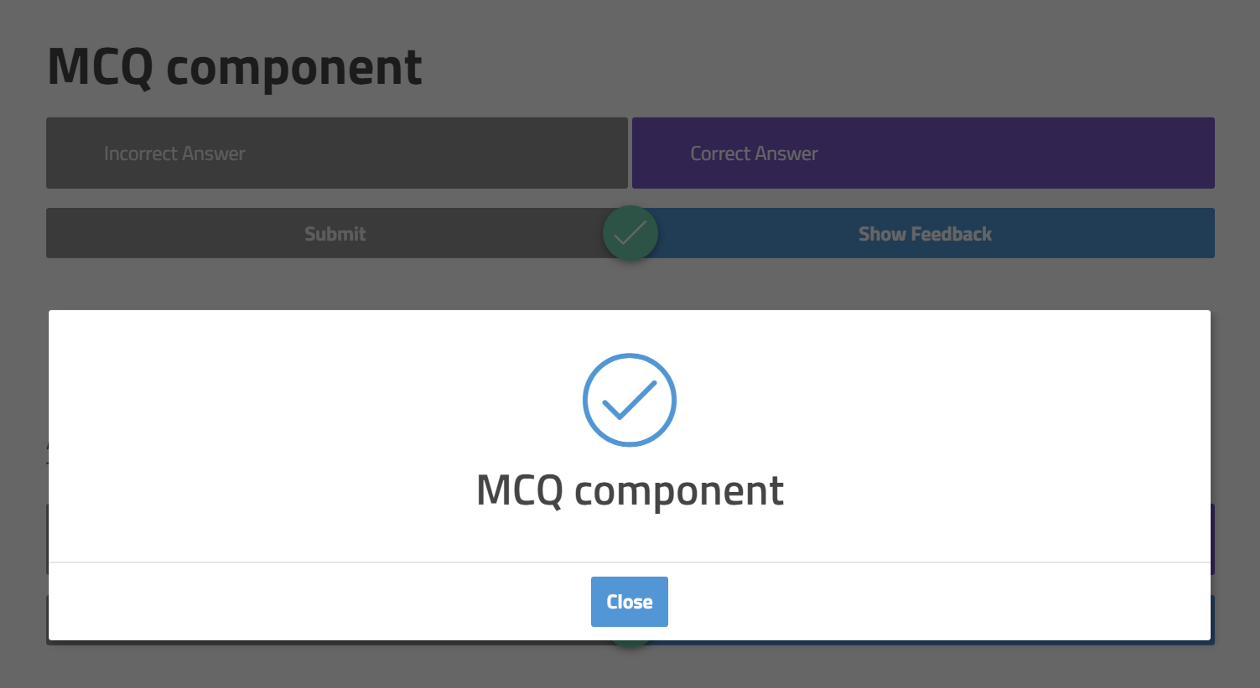
The hack
With some CSS, we can alter the colour and styles of these icons individually…
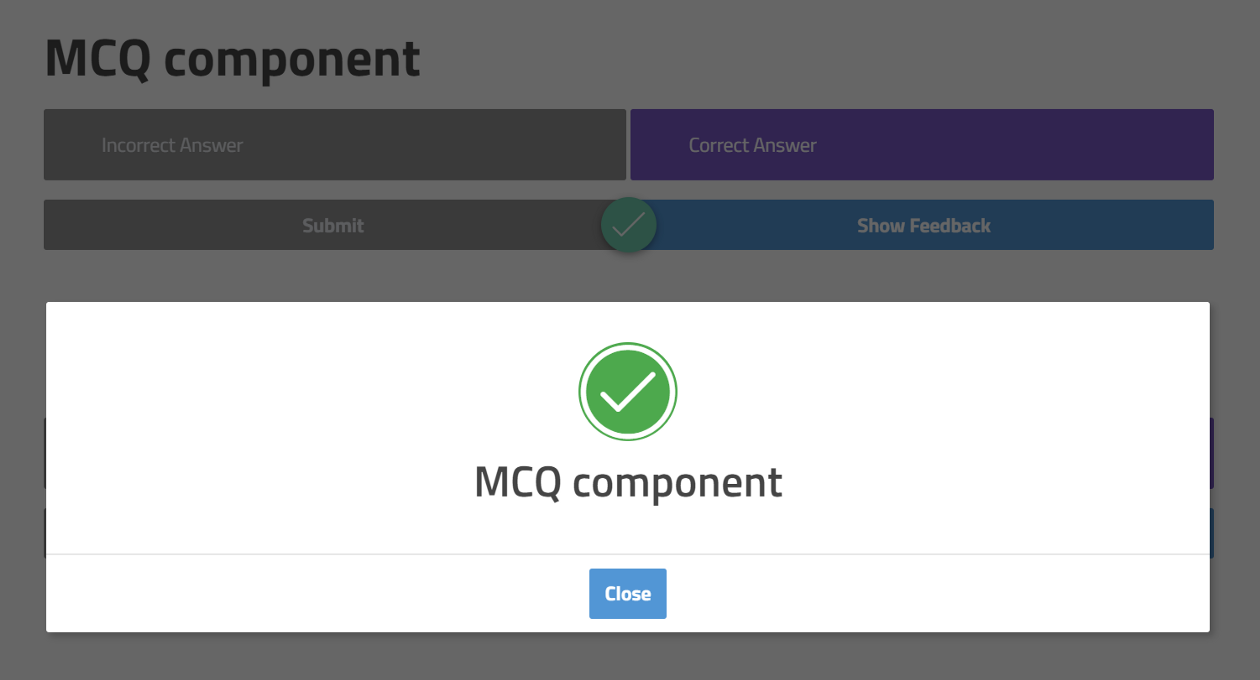
Below is the custom CSS for you to copy and paste. Be sure you change any of the settings that you’d like so that the colours are styled consistently with your course.
/* Fill Notification Dialog Icons */
/* Updated: 04/08/2020 */
.ev-notify .ev-notify-icon .ev-icon
{
	color: #fff;
}

/* tick icon settings *?
.ev-notify .ev-notify-prompt.ev-is-correct-feedback .ev-notify-icon .ev-icon
{
	color: #fff;
	background-color: #00ac3e;
	border-radius: 100px;
}

/* cross icon settings *?
.ev-notify .ev-notify-prompt.ev-is-incorrect-feedback .ev-notify-icon .ev-icon,
.ev-notify .ev-notify-prompt .ev-notify-icon .ev-icon-cross-circle.ev-icon
{
	color: #fff;
	background-color: #ff0026;
	border-radius: 100px;
}
 designdebt.club